Author: admin

  • Amazon Prime Day 2025 Day 1 Analysis: Is the 4-Day Format Living Up to Expectations?

    Amazon Prime Day 2025 Day 1 Analysis: Is the 4-Day Format Living Up to Expectations?

    Amazon Prime Day 2025 is officially here, offering what the company calls “four days of epic deals” from July 8-11. As the first-ever four-day Prime Day kicks off, early indicators suggest this extended format might fundamentally change how shoppers approach Amazon’s biggest annual sale.

    Day 1 Quick Assessment: Strong Start

    After monitoring the deals as they dropped throughout the morning, editors and deal experts are reporting savings “up to 70% off” on select items. The extended timeline appears to be delivering on its promise of reducing the typical Prime Day shopping frenzy.

    Who this benefits most: Shoppers who prefer researching purchases over impulse buying, anyone targeting specific Amazon ecosystem products, and deal hunters who want to compare prices across the four-day window.

    Who might feel underwhelmed: Bargain hunters expecting dramatically deeper discounts than regular sales, or those seeking deals on luxury/premium brand items.

    Day 1 Standout Deals That Are Moving Fast

    Amazon’s Ecosystem: The Clear Winners

    Amazon is featuring “lowest prices of the year so far from top brands like Sony, Dyson, and Living Proof, along with Prime Day deals from exciting new-to-Amazon brands like Unwell Hydration, Tarte Cosmetics, and Away”.

    Echo Auto – $15 (was $55) This represents a “new all-time low” for Amazon’s car-based Echo device. For anyone looking to add Alexa to their vehicle, this 73% discount is generating significant interest.

    Fire TV Stick 4K – 50% Off Tech experts are calling this “the best early Prime Day deal” with a “massive 50% discount on Amazon’s Fire TV Stick 4K”. At around $25, it’s hitting price points that make it an easy impulse purchase.

    Ring Battery Doorbell + Indoor Cam Bundle – $69.99 (was $139.99) This bundle deal drops the combined price by exactly $70, offering both the Ring Battery Doorbell and Ring Indoor Cam 2nd Gen together. Home security shoppers are jumping on this 50% savings.

    Unexpected Category Winners

    Microsoft Surface Laptop (13.8-inch, Snapdragon X Plus) – $859-$880 Multiple sources are reporting this 2024 Surface Laptop with “16GB of RAM and a 512GB SSD” at 27-28% off, featuring a “13.8-inch touchscreen” and “up to 20 hours” battery life. This suggests Prime Day 2025 is featuring more premium tech than previous years.

    65-inch Roku Select Series 4K TV with Built-in Roku TV This large-screen TV option is available as part of Prime Day’s electronics selection, offering built-in streaming capabilities and 4K resolution for large living spaces. Check current pricing on Amazon for Prime Day pricing.

    Real-Time Shopping Patterns: What’s Actually Happening

    The Four-Day Advantage in Action

    Early shopping behavior suggests the extended format is working as intended. Rather than the typical mad rush, shoppers appear to be taking time to compare similar products and read reviews. Deal tracking tools are seeing more sustained traffic rather than the usual spikes.

    Category Performance So Far

    • Amazon Devices: Leading with 40-70% discounts across Echo, Fire TV, and Ring products
    • Tech Accessories: Solid 20-35% savings on headphones, cables, and charging solutions
    • Home Appliances: Brands like “Ninja and Shark” are featured prominently
    • New Brand Debuts: Amazon is using Prime Day to launch deals from “new-to-Amazon brands” like specialty hydration and cosmetics companies

    Smart Shopping Strategy: Day 1 Lessons

    What’s Working

    With “four days of daily drops of new deals,” shoppers have breathing room to research. The pressure to buy immediately has noticeably decreased, allowing for more thoughtful purchasing decisions.

    What to Watch For

    Shopping experts warn that “not every item on sale is a good deal,” emphasizing the importance of price comparison. The extended format means more opportunities for both genuine savings and inflated “deals.”

    Price Tracking Reality

    While “Prime Day may yield some of the year’s lowest prices on those products,” the difference is “often by only $5 or $10”. This suggests the four-day format trades depth of discount for breadth of selection.

    Day 1 Pros & Cons: Early Observations

    What’s Working Well

    • Reduced shopping pressure: The four-day window eliminates the typical panic buying
    • Better inventory management: Fewer “sold out” messages compared to previous years
    • Amazon ecosystem excellence: Deep discounts on Echo, Fire TV, and Ring products
    • New brand integration: Interesting debuts from companies not typically in major sales

    Areas of Concern

    • Discount depth: Early deals don’t appear significantly deeper than regular sales
    • Premium product scarcity: High-end items remain lightly discounted
    • Deal fatigue potential: Four days might overwhelm casual shoppers

    Bottom Line: Promising Start with Strategic Advantages

    Day 1 of Prime Day 2025 suggests Amazon’s four-day gamble is paying off. The extended format appears to benefit both shoppers (more research time) and Amazon (sustained traffic rather than server-crashing spikes).

    Current recommendation: With Prime membership at “$14.99 per month,” the access cost remains reasonable for the deals available. Focus on Amazon’s own products for the best savings, but don’t expect revolutionary discounts on third-party premium items.

    Strategy for the remaining days: Use Day 1 as a baseline for comparison. With three more days of deals incoming, today’s prices might not be the final word on Prime Day 2025’s best offers.

    Early indicators suggest this extended format succeeds in creating a more sustainable shopping experience. Whether that translates to better deals overall remains to be seen as the next three days unfold.

    For current deals and to track new offerings, shoppers can monitor Amazon’s Prime Day page as new deals drop throughout the four-day event.
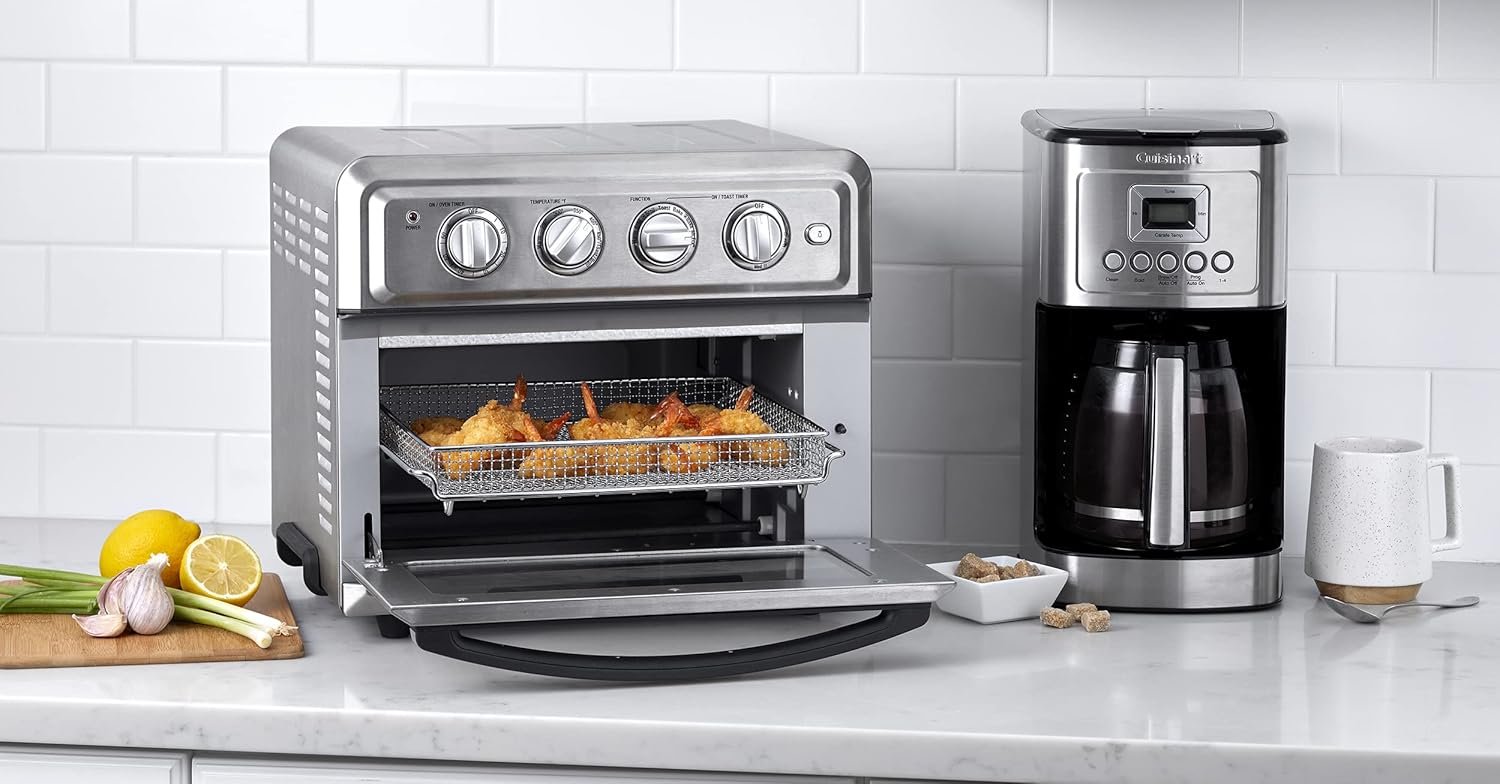
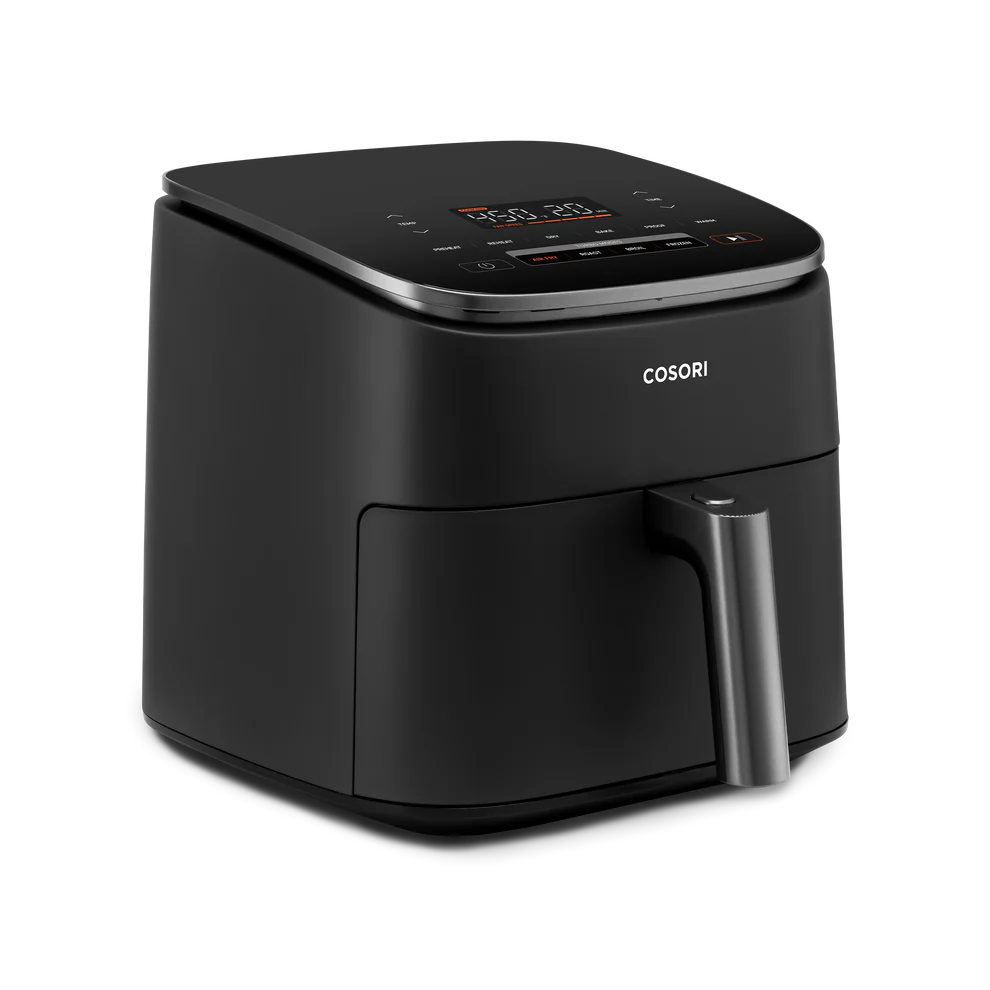
  • Cuisinart TOA-60 Air Fryer Toaster Oven Review: The Counter Space Hero That Almost Gets It Right

    Cuisinart TOA-60 Air Fryer Toaster Oven Review: The Counter Space Hero That Almost Gets It Right

    Ever stared at your cramped countertop and wondered if you really need three separate appliances to toast bread, reheat pizza, and make crispy chicken wings? The Cuisinart TOA-60 Air Fryer Toaster Oven promises to be the Swiss Army knife of kitchen counters, combining seven cooking functions into one sleek stainless steel package.

    The Quick Verdict

    The Cuisinart TOA-60 delivers impressive versatility and solid performance across most cooking tasks, making it an excellent choice for small kitchens, busy families, or anyone looking to streamline their appliance collection. However, temperature inconsistencies and the need for recipe adjustments prevent it from being perfect. It’s best suited for households that value convenience and counter space over precision cooking, though those who enjoy experimenting in the kitchen will appreciate the learning curve.

    Performance & Quality: Where It Shines (And Where It Stumbles)

    The TOA-60 packs serious power with its 1800-watt heating system and six nichrome elements, plus a top-mounted convection fan that circulates air efficiently. It preheats quickly, so it’s a good option for reheating leftovers. It makes good toast fairly quickly. It also air fries rapidly, which means less waiting around when hunger strikes.

    The build quality feels substantial – this isn’t some flimsy countertop gadget that’ll wobble every time you open the door. The stainless steel construction gives it a professional appearance that won’t look out of place in most kitchens, and the compact footprint makes it manageable even in tight spaces.

    But here’s where things get interesting (and slightly frustrating): The Cuisinart Air Fryer Toaster Oven (TOA-60) has disappointing temperature stability. It doesn’t maintain a stable temperature during cooking, and its actual temperature is often much higher than your selected setting. This means you’ll need to become a bit of a temperature detective, typically setting the dial about 25°F lower than most recipes call for.

    User Experience: Simple Controls, Learning Curve Required

    The interface couldn’t be simpler – analog dials for temperature, time, and function selection. No fancy digital displays or smartphone apps here, which some will love for its straightforward approach. The seven functions include air fry, bake, broil, toast, warm, and convection bake, covering pretty much every cooking method you’d need for everyday meals.

    Setup is refreshingly easy – just plug it in, remove the protective plastic, and you’re ready to cook. The included accessories (baking pan, air fryer basket, and wire rack) fit perfectly and feel well-made, not like afterthoughts thrown in to justify the price.

    However, there’s definitely a learning period. cooking times and the temperature will likely need adjusting to achieve the best results. For non-meat dishes, we needed to set the temperature to about 25°F lower than standard recipes suggest. Once you figure out these quirks, though, the cooking results are quite impressive.

    Real-World Testing: Daily Kitchen Duties

    After extensive testing with everything from frozen french fries to homemade cookies, the TOA-60 proves its worth in several key areas. Toast comes out evenly golden, and the air frying function produces genuinely crispy results that rival dedicated air fryers. Reheating leftover pizza actually makes it taste fresh again, not like cardboard – a minor miracle in the appliance world.

    The oven handles small batch baking admirably, perfect for making cookies for two or roasting vegetables for a weeknight dinner. Happy customers rate how convenient it is in terms of the multiple cooking settings, with one user explaining how it replaced their existing air fryer, toaster, and toaster oven all at once.

    Where it struggles is with larger items or cooking for big families. The interior capacity, while decent for a countertop unit, limits you to smaller portions. Also, items placed closer to the heating elements can overcook while others remain underdone, requiring some strategic food placement and occasional rotation.

    Pros & Cons

    What Works Really Well:

    • Space-saving design that genuinely replaces multiple appliances without hogging counter space
    • Quick preheating gets you cooking faster than a conventional oven
    • Versatile cooking options handle everything from toast to air-fried chicken wings
    • Solid build quality feels like it’ll last for years of daily use
    • Easy cleanup with removable, dishwasher-safe accessories

    The Not-So-Great Stuff:

    • Temperature inconsistencies require recipe adjustments and careful monitoring
    • Limited capacity means cooking in batches for larger families
    • Uneven heating in some spots, especially near the heating elements
    • No digital controls might feel dated to some users who prefer precise settings

    Bottom Line: A Worthwhile Kitchen Compromise

    The Cuisinart TOA-60 isn’t perfect, but it’s really good at being really useful. If you’re working with limited counter space, cooking for 1-4 people regularly, or just want to simplify your kitchen setup, this appliance delivers genuine value. On Amazon, it had 4.4 stars out of 5, with 72% of users giving it 5 stars, which speaks to its real-world performance despite the temperature quirks.

    The temperature inconsistencies are annoying but manageable once you understand the pattern. Think of it as developing a relationship with your appliance – a little patience and experimentation leads to consistently good results. For most home cooks, the convenience and space savings outweigh the need for precision temperature control.

    If you’re someone who follows recipes to the letter and gets frustrated by appliances that require adaptation, you might want to consider other options. But if you enjoy the process of figuring out what works and appreciate having fewer things cluttering your counters, the TOA-60 could become your new favorite kitchen companion.

    You can check the current price and read more customer reviews on Amazon to see if this versatile appliance fits your cooking style and kitchen needs.

  • COSORI TurboBlaze 6Qt Air Fryer Review: Speed Meets Capacity in This Family-Friendly Kitchen Powerhouse

    COSORI TurboBlaze 6Qt Air Fryer Review: Speed Meets Capacity in This Family-Friendly Kitchen Powerhouse

    Ever wondered why some air fryers seem to take forever to cook a family meal while others leave you with unevenly cooked food? The COSORI TurboBlaze 6Qt Air Fryer promises to solve both problems with its turbocharged fan system and spacious design, but does it actually deliver on these bold claims?

    Quick Verdict

    The COSORI TurboBlaze earns its place as a solid mid-range air fryer that excels at feeding families quickly. It cooks up to 46% faster compared to COSORI’s Pro Gen 2 air fryer, making it ideal for busy households that need dinner on the table fast. However, this speed comes with some trade-offs in cooking consistency that potential buyers should understand upfront.

    This air fryer works best for families of 3-4 people who prioritize speed and convenience over precision cooking. It’s less suitable for perfectionists who want restaurant-quality results every time or single users who don’t need the extra capacity.

    Performance & Quality: Fast but Inconsistent

    The TurboBlaze’s headline feature is its variable fan speed system, which allows it to tackle different cooking methods with impressive speed. With 1750W of power and varied functions, it offers cooking methods rather than being tailored to different foods. The turbo modes handle air frying and frozen foods particularly well, while slower speeds work for gentler tasks like proofing dough.

    Build quality feels solid with a sleek modern design that won’t look out of place on most countertops. Its 6-quart capacity is enough for about four people, and it has a bigger cooking surface area than many 6-qt air fryers, giving you more room to spread food out for better results.

    However, the speed advantage comes with a notable downside. It ran consistently low, dried out chicken during testing, and failed to produce impressively crispy fries or tots. Multiple reviewers noted that the underside of food doesn’t get as golden/crispy/cooked as the top, suggesting some airflow distribution issues.

    User Experience: Intuitive but Requires Learning

    The touchscreen interface stands out as genuinely user-friendly. The touchscreen is super intuitive, it has a turbo boost and nine cooking functions, making it easy for beginners to jump right in. The preset functions cover all the basics: air fry, roast, bake, reheat, keep warm, and more specialized options like dehydrate and proof.

    Setup is straightforward, and daily operation feels smooth once you understand the quirks. The elevated crisper plate design allows for better airflow than many competitors, though this doesn’t completely solve the uneven cooking issue mentioned earlier.

    Cleaning deserves special praise here. Multiple reviews highlight its easy cleaning abilities, with dishwasher-safe components that make post-cooking cleanup much less of a chore than traditional frying methods.

    Value Analysis: Competitive but Not Outstanding

    At around $100-120, the TurboBlaze sits in the competitive mid-range air fryer market. It’s available at an affordable price compared to premium smart air fryers, but it’s not the cheapest option available.

    The speed advantage and large capacity justify the price for busy families, but maybe there are better value offerings for its price tag if you prioritize cooking consistency over speed. Competing models in this range might offer more reliable results, though they typically sacrifice some capacity or speed.

    For context, similar 6-quart air fryers from brands like Ninja and Instant Pot often retail in the same price range, making this more about feature preferences than pure value.

    Real-World Testing: Great for Some Foods, Struggles with Others

    The TurboBlaze shines with certain types of cooking. It created a delightful crispy exterior on a variety of food and handles frozen foods particularly well thanks to its dedicated frozen food preset. Reheating leftovers works excellently, often bringing back the original texture better than a microwave.

    For families rushing through weeknight dinners, the speed difference is genuinely noticeable. What might take 25 minutes in a standard air fryer often finishes in 18-20 minutes here, which adds up over time.

    However, results for basics like chips and vegetables were disappointing. Foods that require precise temperature control or even browning may not turn out as expected. Chicken wings will never get crispy as most expect without the addition of some oil, which might disappoint those expecting oil-free perfection.

    Pros & Cons

    Pros:

    • Genuine speed advantage: Cooks up to 46% faster than comparable models
    • Large capacity: Bigger cooking surface area than many 6-qt air fryers
    • Easy to clean: Dishwasher-safe components and non-stick surfaces
    • Intuitive controls: Super intuitive touchscreen with nine cooking functions
    • Cool exterior: Stays safe to touch during operation

    Cons:

    • Inconsistent cooking: Underside doesn’t get as golden/crispy/cooked
    • Temperature accuracy issues: Runs consistently low and can dry out chicken
    • Basic vegetables struggle: Disappointing results for chips and vegetables
    • Missing convenience features: Lacks pre-programmed preheating and “shake food” reminders

    Bottom Line

    The COSORI TurboBlaze 6Qt Air Fryer succeeds as a family-focused appliance that prioritizes speed and convenience over precision. It provides a robust set of functionalities suitable for a wide range of cooking needs, making it a solid choice for most consumers.

    If you’re a busy parent who needs to get dinner on the table quickly and doesn’t mind adjusting cooking times and techniques based on experience, this air fryer will likely serve you well. The learning curve isn’t steep, and once you understand its quirks, it becomes a reliable kitchen workhorse.

    However, if you’re looking for consistent, restaurant-quality results or primarily cook delicate items that require precise temperature control, you might want to consider other options in this price range. If you don’t mind working out the quirks of its performance, this has the potential to be a solid air fryer.

    For current pricing and availability, check Amazon where you can also browse through customer photos and additional reviews to see real-world results from other users. The TurboBlaze often goes on sale during major shopping events, making it an even better value proposition for speed-focused families.

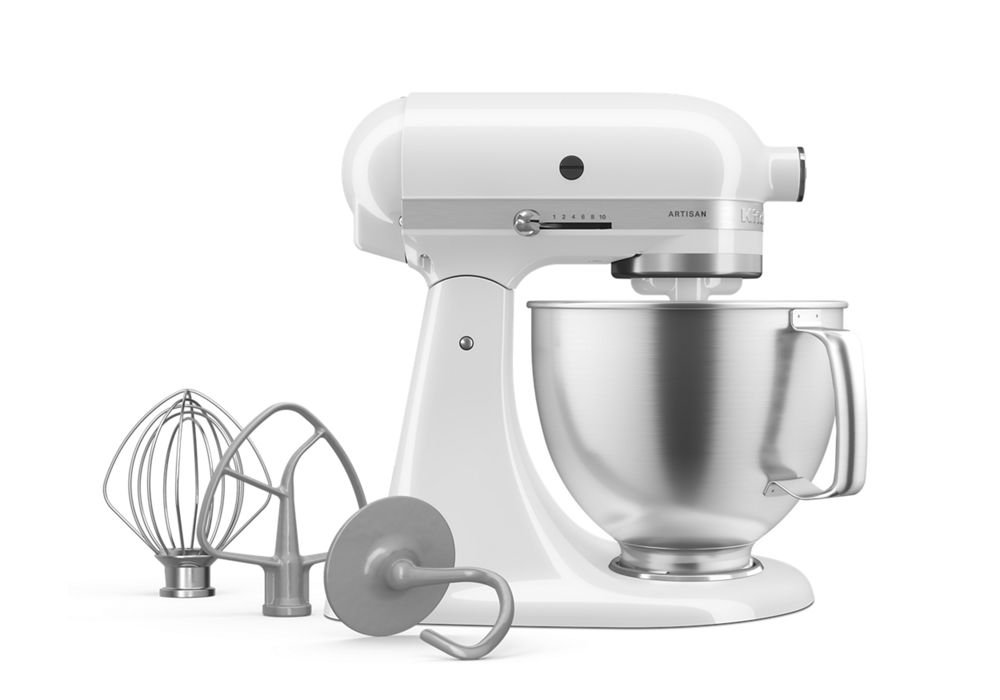
  • KitchenAid Artisan Series 5-Quart Stand Mixer Review: Is This Kitchen Icon Worth the Investment?

    KitchenAid Artisan Series 5-Quart Stand Mixer Review: Is This Kitchen Icon Worth the Investment?

    Ever wonder why every professional baker and serious home cook seems to have that distinctive silhouette sitting on their counter? The KitchenAid Artisan Series 5-Quart Stand Mixer has become as much a kitchen status symbol as it is a workhorse appliance.

    Quick Verdict

    The KitchenAid Artisan Series Tilt-Head Stand Mixer topped the list of the best stand mixers for years, and it’s easy to see why. This mixer delivers consistent performance across a wide range of baking tasks, from delicate meringues to heavy bread doughs. It’s perfect for serious home bakers who want professional-level results and plan to use their mixer regularly. However, casual bakers who only whip up the occasional batch of cookies might find the price hard to justify.

    The Milkshake color variant offers a sophisticated matte finish that works beautifully in modern kitchens, adding both function and style to your countertop.

    Performance & Quality: Built Like a Tank

    This is a reliable workhorse that handles heavy (by home use standards) loads with ease, and that reputation is well-earned. The 325-watt motor doesn’t sound impressive on paper compared to some competitors, but KitchenAid’s engineering makes it surprisingly capable. It does not slow down when dealing with thick/difficult foods (i.e. Honey, Doughs, etc.), which is crucial when you’re working with challenging recipes.

    This durable tilt-head stand mixer was built to last, and features 10 speeds to gently knead, thoroughly mix and whip ingredients for a wide variety of recipes. The speed range gives you precise control whether you’re incorporating delicate ingredients or need aggressive mixing action.

    The 5-quart stainless steel bowl provides enough capacity for most home baking projects. Whether you need 9 dozen of your signature chocolate chips cookies or shredded chicken for Taco Tuesday with friends and family, the KitchenAid Artisan Series 5 Quart Tilt-Head Stand Mixer has the capacity for every occasion. That’s enough volume for a double batch of most cookie recipes or a large cake.

    User Experience: Simple But Effective

    Simple to operate – very simple controls, no need for any screens/menu diving is one of the standout features. The speed control lever and attachment system are intuitive enough that you’ll master them within minutes. Easy On/Off Attachments makes switching between the flat beater, wire whip, and dough hook effortless.

    The tilt-head design allows easy access to the bowl and attachments, though some users note there’s no cushion for mixer head when lifting up/down, which can result in a somewhat abrupt motion. Easy clean-up, maintenance rounds out the user-friendly experience.

    One thing that sets this mixer apart is its attachment hub. Get creative and make more with your mixer with over 10 optional hub-powered attachments, from food grinders to pasta makers. This versatility can essentially replace multiple kitchen appliances over time.

    Value Analysis: Premium Price for Premium Performance

    Let’s address the elephant in the room: price. Both the Artisan 5qt. tilt-head mixer and the Professional 5qt. lift-bowl mixer have the same list price ($429 US), but the Pro is frequently listed “on sale” for as low as $250, while the Artisan can rarely be found for under $350. You’re typically looking at around $350-400 for the Artisan series.

    While this isn’t an inexpensive appliance, there are plenty of other countertop appliances that cost more. We feel that the price is right for the quality, and for the future versatility when optional attachments save the cost of buying standalone appliances. When you factor in the potential to replace food processors, pasta makers, and other specialty tools with KitchenAid attachments, the math starts to make more sense.

    Good Investment Piece speaks to both the mixer’s value retention and consistent demand. These mixers hold their value remarkably well on the resale market.

    Real-World Testing: Where It Shines and Struggles

    The Artisan excels at standard baking tasks. Cookie doughs, cake batters, and whipped cream are handled with ease. The planetary mixing action ensures thorough incorporation without overmixing. For bread making, it handles most home-style breads well, though very stiff doughs might push it to its limits.

    The 5-quart capacity hits a sweet spot for most households. It’s large enough for entertaining but not so massive that small batches get lost in the bowl. However, if you regularly bake for large groups or run a home bakery, you might find yourself wishing for more capacity.

    The motor runs relatively quietly compared to many stand mixers, though it’s not silent. The solid construction means minimal vibration even at higher speeds.

    Pros & Cons

    Pros:

    • Rock-solid construction: Built To Last with metal gears and durable housing
    • Consistent performance: Maintains speed under load without bogging down
    • Versatile attachment system: Hub opens up dozens of culinary possibilities
    • Perfect capacity: 5-quart bowl handles most home baking needs
    • Iconic design: BEAUTIFUL color options complement any kitchen aesthetic

    Cons:

    • Premium pricing: Significantly more expensive than basic stand mixers
    • Limited motor power: May struggle with very heavy doughs compared to bowl-lift models
    • Tilt-head design: No Cushion For Mixer Head When Lifting up/Down
    • Bowl size limitations: Not ideal for very small or very large batches

    Bottom Line

    Overall, this KitchenAid mixer is the best in terms of usability versus cost. The Artisan Series 5-Quart Stand Mixer remains the gold standard for home bakers who want professional results without professional complexity.

    If you bake regularly, love experimenting with new recipes, or see yourself expanding into pasta making, sausage grinding, or other culinary adventures, this mixer justifies its price tag. The combination of proven reliability, expandability, and timeless design makes it more than just an appliance—it’s a long-term kitchen investment.

    For occasional bakers or those on tight budgets, less expensive alternatives might make more sense. But if you’re serious about baking and want a mixer that will still be running strong decades from now, the KitchenAid Artisan deserves a spot on your counter.

    The Milkshake color adds a sophisticated, modern touch that works beautifully in contemporary kitchens while maintaining the classic KitchenAid silhouette that’s been trusted for generations.

    You can check current pricing and availability on Amazon to see if any seasonal promotions might make this investment even sweeter.

  • Is the Shark Navigator Professional NV360 Worth the Hype? A Detailed Review

    Is the Shark Navigator Professional NV360 Worth the Hype? A Detailed Review

    Ever wondered why the Shark Navigator Professional NV360 consistently ranks among Amazon’s top-selling vacuums? After diving deep into hundreds of customer reviews and professional testing data, the answer becomes clear: this budget-friendly upright delivers surprisingly solid performance for its price point.

    The Bottom Line Up Front

    The Shark Navigator Professional NV360 is a solid choice for budget-conscious shoppers seeking reliable cleaning power without breaking the bank. For the price range (the sale price as low as about 130-180 bucks), the NV360 has a fairly solid feeling about it, making it ideal for families with mixed flooring, pet owners dealing with moderate shedding, and anyone who values the convenience of a lift-away design. However, it’s not perfect for homes with thick carpets or heavy pet hair situations.

    Performance and Cleaning Power

    The NV360’s standout feature is its impressive suction power relative to its price point. Owners like the strong suction, lift-away feature, rinsable filters, and swivel steering, with many users reporting excellent results on both hardwood floors and medium-pile carpets. The vacuum’s brushroll on/off controls make it versatile enough to handle delicate area rugs and transition smoothly between different floor types.

    What sets this model apart is its Anti-Allergen Complete Seal Technology paired with a HEPA filter. Features Anti-Allergen Complete Seal Technology® and a HEPA filter to trap dust and allergens, making it perfect for pet owners and allergy sufferers. For families dealing with seasonal allergies or pet dander, this filtration system performs well above its price class.

    User Experience and Design

    The lift-away feature is where the NV360 truly shines. With just the touch of a button, detach the pod to clean above the floor, transforming the vacuum into a portable canister for stairs, furniture, and car interiors. This versatility addresses one of the biggest pain points with traditional upright vacuums – reaching awkward spaces.

    The swivel steering makes navigation around furniture surprisingly smooth, though the vacuum’s weight (around 12.5 pounds) can become noticeable during extended cleaning sessions. The Shark has great suction, is easy to use, and I love the lift away feature, according to verified buyers who appreciate the practical design elements.

    Real-World Performance Issues

    Despite its strengths, the NV360 has some notable limitations that potential buyers should consider. One drawback, however, was its mediocre performance with pet hair with a brush roller design that tended to clump and wrap hair, which we found annoying to remove and clean. This is a significant concern for households with long-haired pets or family members.

    The cord is short and does not stay plugged in well. The power button is in an awkward place, creating frustration during use. Additionally, the power brush attachment is belt driven, so if you are a ham fisted klutz who tries to use it for things besides upholstery, the belt may come off of its track, requiring careful handling of the attachments.

    Value Analysis and Competition

    At its typical selling price of $200-300, the NV360 occupies a sweet spot in the budget vacuum market. Most other vacuums we’ve reviewed at this price point don’t feel quite so robust, giving it a competitive edge over similarly priced models from other brands.

    The vacuum comes with essential attachments including an upholstery tool and crevice tool, though the selection is more limited than higher-end models. I think if I were to buy again I might spend the little extra and buy the next size up with a bit bigger dirt container, highlighting that the dust cup capacity could be larger for bigger homes.

    Pros and Cons

    Pros:

    • Strong suction for its price range
    • Lift-Away feature for versatile cleaning
    • HEPA filtration for allergen control
    • Brushroll on/off controls which make the vacuum effective on both carpet and bare floors
    • Rinsable filters reduce ongoing costs

    Cons:

    • Short hose limits reach
    • Brushroll can tangle with hair
    • Cord is short and does not stay plugged in well
    • The power button is in an awkward place
    • Feels less robust than higher-end models

    Final Verdict

    The Shark Navigator Professional NV360 delivers solid value for families seeking reliable cleaning performance without premium pricing. It is one of the higher consumer-rated vacuums in its price point, with thousands of satisfied customers backing up its reputation.

    This vacuum works best for homes with mixed flooring, moderate pet hair, and users who value the convenience of a lift-away design for versatile cleaning. However, households with thick carpets, heavy pet shedding, or those requiring extensive reach should consider investing in a higher-end model.

    For the current price on Amazon, the NV360 represents one of the better values in the budget vacuum category, especially when factoring in the HEPA filtration and lift-away versatility. Just be prepared for some minor inconveniences with cord length and hair tangling – compromises that most users find acceptable given the overall performance and price point.

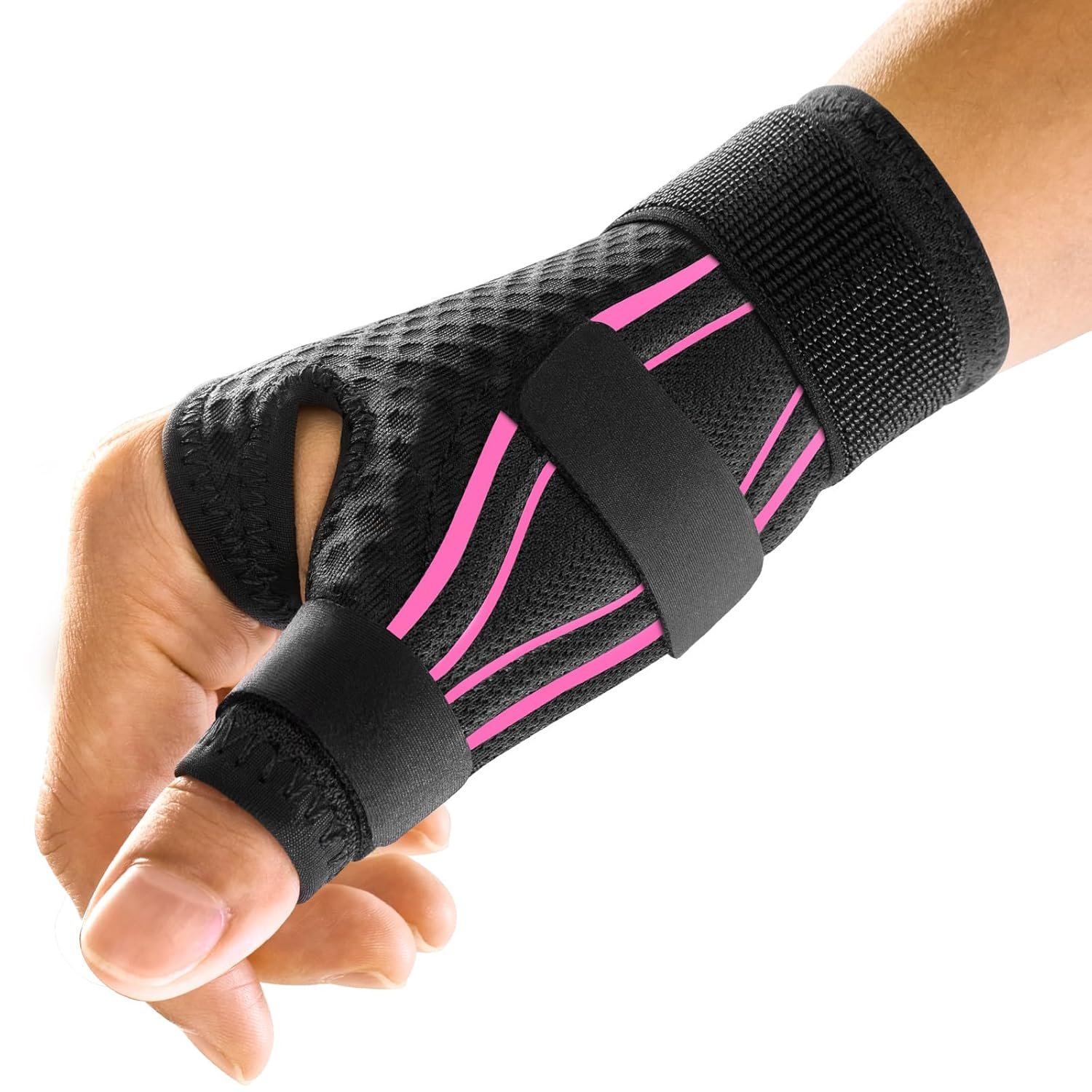
  • FREETOO Ergonomic Wrist Brace Review: Does This $20 Support Actually Work?

    FREETOO Ergonomic Wrist Brace Review: Does This $20 Support Actually Work?

    Ever wake up with that familiar ache shooting through your wrist, wondering if tonight will be another sleepless battle with carpal tunnel pain? You’re not alone, and you definitely don’t need to spend hundreds on physical therapy sessions before trying a simple support brace.

    Quick Verdict

    The FREETOO Ergonomic Wrist Brace hits the sweet spot for people dealing with mild to moderate wrist pain from carpal tunnel, arthritis, or repetitive strain. It’s not a miracle cure, but for under $25, it delivers solid support without the bulk that makes other braces unwearable during daily activities. Best for office workers, gamers, and anyone needing consistent wrist stabilization throughout the day or night. Skip it if you need maximum immobilization for severe injuries or have very large wrists.

    Performance & Quality That Actually Holds Up

    The FREETOO wrist brace works well and is comfortable, with good sturdiness that lasts a long time, according to consistent customer feedback. What sets this apart from cheaper drugstore options is the anatomical S-shaped design that follows the wrist’s natural curve instead of forcing it into an uncomfortable position.

    The build quality impresses users right out of the package. Customers appreciate the quality Velcro and adjustable band, with excellent design and workmanship that holds up to continuous use. The three-stay support system (that’s the rigid supports built into the brace) provides structure without making your wrist feel like it’s trapped in a medieval torture device.

    Users report the brace maintains its shape and support level even after daily wear and multiple washes. The Velcro shows minimal wear, which is often the first thing to fail on cheaper models.

    User Experience: Actually Wearable All Day

    Here’s where the FREETOO really shines compared to bulkier medical-grade braces. The wrist support is made of PVC material that usually used for baby clothes, will not scratch your skin. It is very slim and easy to fit, making it genuinely comfortable for extended wear.

    The breathable mesh design prevents that sweaty, irritated feeling you get with solid neoprene braces. Users report wearing this during 8-hour work days at computers without skin feeling raw or overheated. The material is gentle to the skin, and the Velcro fastener lets users decide how tightly it should fit.

    Setup takes literally 10 seconds. The single-strap design with strategic elastic and non-elastic sections means you can adjust it one-handed, which is crucial when the other wrist is acting up too.

    Real-World Testing: Office Work and Beyond

    Customer reviews highlight typical daily scenarios where this brace excels. During intensive typing sessions, the brace keeps wrists in proper alignment without restricting finger movement or making users feel clumsy on the keyboard. The S-shaped splint on top and bionic palmar stay provide a snug and secure fit, truly stabilizing the wrist without over-restricting movement.

    For nighttime use, this has been a game-changer for many users. They report it’s lightweight, breathable and offers comfortable support throughout the night. Unlike rigid splints that wake you up every time you roll over, the FREETOO lets you sleep naturally while preventing those painful wrist bends that make morning stiffness worse.

    The brace also handles light physical activities well according to user feedback. People wear it during household chores and light exercise without any slipping or loss of support, though it’s not recommended for heavy lifting or high-impact sports.

    Comparing Value Against Alternatives

    At around $20-25, this sits perfectly between $8 drugstore wraps that offer minimal support and $60+ medical braces that are overkill for most people. The FREETOO wrist brace provides much-needed support and comfort for conditions like carpal tunnel syndrome, arthritis, and tendonitis, making it easier to manage daily routines without annoying wrist pain.

    Compared to similar braces from Mueller or Futuro, the FREETOO offers better breathability and a more anatomical fit. The main trade-off is slightly less maximum support than heavy-duty medical models, but most users don’t need that level of immobilization.

    Pros & Cons

    What Works:

    • Anatomical S-shape design actually follows your wrist’s natural curve
    • Lightweight and breathable enough for all-day wear
    • Single-strap system makes one-handed adjustment easy
    • Quality Velcro and construction that lasts through regular use
    • Slim profile fits under most clothing without bulk

    What Doesn’t:

    • Some users report Velcro straps don’t stay properly and become worn down over time
    • Mixed feedback on pain relief – while many find it helpful, others need stronger support
    • Limited sizing options may not accommodate very large or small wrists
    • Not suitable for severe injuries requiring maximum immobilization

    Bottom Line

    The FREETOO Ergonomic Wrist Brace delivers solid, everyday support without breaking the bank or making you feel like you’re wearing medieval armor. It’s particularly effective for people with desk jobs, gamers, or anyone dealing with mild to moderate repetitive strain issues.

    Will it cure severe carpal tunnel or replace physical therapy? No. But for the price of a couple of coffee runs, it provides genuine relief and support that lets you get through your day (and night) more comfortably. The key is having realistic expectations – this is preventive and supportive care, not a medical treatment.

    If you’re on the fence about trying a wrist brace, this is a low-risk way to see if support helps your specific situation.

    Check the current price on Amazon, especially if you catch it during one of their frequent health and wellness sales. Many customers end up ordering a second one for their other hand once they experience the difference proper wrist support makes.

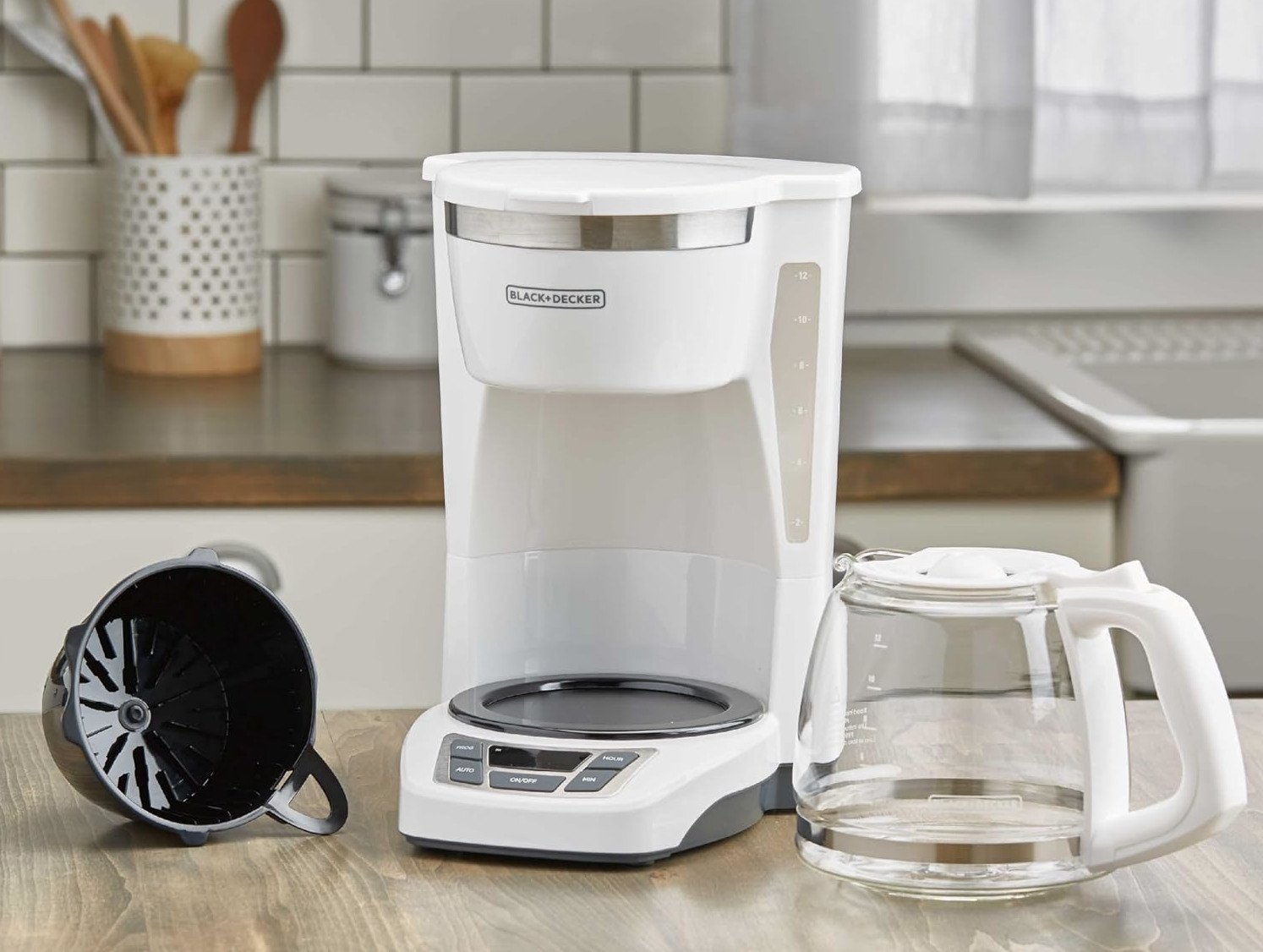
  • BLACK+DECKER CM1160W 12-Cup Programmable Coffeemaker Review: Your Morning Routine’s New Best Friend?

    BLACK+DECKER CM1160W 12-Cup Programmable Coffeemaker Review: Your Morning Routine’s New Best Friend?

    Ever stumbled to your kitchen at 6 AM, desperately craving that first cup of coffee, only to realize you forgot to set up your machine the night before? The BLACK+DECKER CM1160W 12-Cup Programmable Coffeemaker promises to solve this all-too-common morning disaster with its 24-hour programmable timer and straightforward operation.

    Quick Verdict

    For coffee drinkers seeking a reliable, no-nonsense brewing solution under $50, the BLACK+DECKER CM1160W delivers solid performance without breaking the bank. This white-finished coffeemaker excels at making consistently decent coffee for families or small offices, though it won’t impress serious coffee enthusiasts looking for premium features or gourmet-level brewing precision.

    Best for: Budget-conscious households, college students, small offices, and anyone who prioritizes convenience over specialty coffee features.

    Skip if: You’re a coffee purist seeking precise temperature control, want built-in grinders, or need advanced connectivity features.

    Performance & Quality: Reliable but Basic

    The CM1160W focuses on getting coffee basics right rather than impressing with bells and whistles. The machine consistently brews coffee at appropriate temperatures and maintains heat through its integrated warming plate. The 12-cup glass carafe provides enough capacity for most households, though keep in mind that “12 cups” in coffee maker terms actually translates to about 6-8 standard mugs.

    Build quality feels solid for the price point, with a sturdy plastic construction that doesn’t feel cheap. The Duralife glass carafe withstands daily use well, though it’s not unbreakable – handle with care during cleaning. The heating plate effectively keeps coffee warm for hours, though like most drip machines, extended warming can lead to that slightly bitter, overcooked taste after 2-3 hours.

    One standout feature is the brewing speed – this machine gets your coffee ready faster than many competitors in its class, making it perfect for rushed mornings.

    User Experience: Simple Setup, Occasional Quirks

    Setting up the CM1160W takes just minutes out of the box. The QuickTouch programming buttons make scheduling your morning brew refreshingly straightforward – no confusing menus or complex sequences. The 24-hour programmable timer works reliably, so you can wake up to fresh coffee without any morning brain fog required.

    The Sneak-A-Cup technology lets you grab a quick cup mid-brew without making a mess, though the feature works better in theory than practice. Some users report occasional dripping when removing the carafe too quickly, so patience pays off here.

    The washable brew basket simplifies cleanup, though one common user complaint involves the basket’s weight distribution. Without coffee grounds or a filter providing weight, the plastic basket can shift during brewing, potentially causing coffee to miss the carafe opening. This isn’t a deal-breaker, but it’s something to watch for during your first few uses.

    Water level visibility through the side window helps prevent overfilling, and the machine’s compact footprint fits comfortably on most countertops without dominating the space.

    Value Assessment: Budget-Friendly Performance

    At typically $40, the CM1160W offers impressive value for basic programmable coffee making. You’re getting essential features like 24-hour programming, auto-shutoff, and decent brewing performance without paying for premium materials or advanced features you might not need.

    Compared to similarly priced competitors, BLACK+DECKER’s reliability reputation gives this model an edge. While you won’t get the stainless steel construction or precise temperature control of $100+ machines, the CM1160W delivers consistent results that satisfy most casual coffee drinkers.

    The machine’s simplicity also means fewer things can break. There’s no grinder to jam, no milk frother to clog, and no complex electronics to malfunction – just straightforward drip brewing that works day after day.

    Real-World Testing: Morning Routine Integration

    In typical household use, the CM1160W shines as a reliable morning companion. The programmable timer consistently activates at the set time, and the brewing process completes in about 5-7 minutes for a full pot. Coffee temperature stays pleasant for drinking immediately, and the warming plate maintains reasonable heat for about 2 hours before noticeable quality degradation.

    The machine handles different coffee grounds well, from pre-ground grocery store blends to freshly ground beans, though it performs best with medium grinds. Very fine grounds can sometimes cause overflow issues, while extremely coarse grinds may result in weaker coffee.

    For families with varying schedules, the 12-cup capacity works well – early risers can grab their cups while leaving plenty for others throughout the morning. The machine’s quiet operation won’t wake sleeping family members, making it perfect for early-morning programming.

    Pros & Cons

    Pros:

    • Affordable reliability: Consistently good performance at a budget-friendly price point
    • Fast brewing: Gets coffee ready quicker than many competitors
    • Simple programming: 24-hour timer setup takes seconds, not minutes
    • Compact design: Fits well on most countertops without overwhelming the space
    • Easy maintenance: Washable basket and straightforward cleaning requirements

    Cons:

    • Basket positioning issues: Lightweight brew basket can shift during brewing without proper weight
    • Basic features only: No grinder, milk frother, or strength settings for coffee customization
    • Sneak-A-Cup quirks: Mid-brew pouring can be messy if you’re not careful
    • Warming plate limitations: Extended heating affects coffee taste after 2-3 hours

    Bottom Line

    The BLACK+DECKER CM1160W 12-Cup Programmable Coffeemaker succeeds as a straightforward, reliable brewing solution for households prioritizing convenience and value over premium features. It won’t revolutionize your coffee experience, but it will consistently deliver decent coffee when you need it most – first thing in the morning.

    This machine makes the most sense for college students, small families, or anyone seeking dependable coffee brewing without complexity or high costs. The programmable timer alone justifies the purchase for many users, transforming chaotic mornings into smooth routines.

    Before purchasing, consider checking the current price on Amazon, where you’ll often find competitive deals and can read additional customer reviews to confirm it matches your specific needs.

    The CM1160W represents solid value in the budget coffeemaker category, making it a smart choice for practical coffee lovers who want reliability over luxury.

  • OnePlus 12 Review: Why You Should Return Your  $1,200 iPhone for this sub $800 Android

    OnePlus 12 Review: Why You Should Return Your $1,200 iPhone for this sub $800 Android

    Remember when flagship phones used to cost $700 and actually felt like an upgrade? The OnePlus 12 brings back that sweet spot where premium features don’t require a second mortgage, packing genuine flagship performance that performs twice as well as competitors like the Pixel 8 Pro in demanding tests.

    The Bottom Line

    The OnePlus 12 is a legitimate flagship killer that delivers on every front that matters. Very capable camera, superb performance, and exceptional battery life as well as charging speeds make this phone a standout choice for anyone wanting premium features without the premium price tag. It’s perfect for power users, mobile photographers, and anyone tired of paying $1,200+ for incremental improvements. The only real downside? Minor software bugs that occasionally require restarts, though these don’t detract from the overall excellent experience.

    Flagship Performance Without the Flagship Price

    Powered by Qualcomm Snapdragon 8 Gen 3, the OnePlus 12 comes equipped with up to 16GB LPDDR5X RAM, and the performance difference is immediately noticeable. This isn’t just marketing speak – it offers Snapdragon Elite Gaming features like ray tracing for desktop-level gaming, superior AI, and advanced connectivity.

    Whether you’re multitasking between dozens of apps, editing 4K videos, or pushing demanding games to their limits, the OnePlus 12 handles everything without breaking a sweat. The phone’s performance in 3DMark’s Wildlife Extreme test was twice as high as that of the Pixel 8 Pro, which puts it in truly flagship territory.

    The All-new Dual Cryo-velocity VC Cooling System ensures sustained performance even during extended gaming sessions. You won’t experience the throttling that plagues many flagship phones when pushed hard.

    Battery Life That Actually Delivers

    The 5400 mAh battery combined with 80W SUPERVOOC and 50W AIRVOOC charging creates a battery experience that’s genuinely impressive. Even with intense use, playing games, and shooting tons of photos, the OnePlus 12 lasted all day and into the night. Many users report easily using the OnePlus 12 for two days of normal usage.

    The charging speeds are where this phone really shines. The 80W wired charging gets you from 0-100% in roughly 30 minutes, while the 50W wireless charging is faster than many phones’ wired charging. This means you’re never tethered to a wall outlet for long.

    Camera System That Competes With the Best

    The 4th Generation Hasselblad Camera for Mobile with customized Sony’s LYT-808 sensor and 3X Periscope Camera delivers genuinely impressive results. The OnePlus 12 has three cameras on its back – a 50MP primary one, a 48MP ultrawide, and a 64MP telephoto for 3x optical zoom.

    The main camera produces excellent photos in both good and challenging lighting conditions. The Hasselblad partnership shows in the natural color reproduction and improved computational photography. The 3x periscope telephoto camera is particularly impressive, offering genuine optical zoom that maintains image quality.

    However, the OnePlus 12’s camera performance isn’t the best on the market, and some users experience blurry photos in editing apps due to resolution optimization. While the camera system is very capable, it doesn’t quite reach the computational photography heights of Google Pixel or iPhone Pro models.

    Display Excellence

    The 2K 120 Hz ProXDR Display is genuinely impressive for both daily use and media consumption. Colors are vibrant, blacks are deep, and the high refresh rate makes everything feel smooth and responsive. The display gets bright enough for outdoor use and supports HDR content beautifully.

    The 6.82-inch size strikes a nice balance between usability and screen real estate, though it’s definitely a large phone that requires two-handed operation for most tasks.

    Software Experience and Minor Frustrations

    The smartphone’s clean Android 14 experience can be blissful for productivity-focused users. OxygenOS has matured into a polished experience that feels close to stock Android while adding useful features.

    However, minor bugs occasionally require turning the phone on and off, which detracts from the overall experience. These aren’t deal-breakers, but they’re noticeable enough to mention. OnePlus typically addresses these issues through software updates.

    Build Quality and Design

    The materials are top-notch, and the phone feels premium in hand. The OnePlus 12 has an IP65 rating, providing decent water and dust resistance, though it’s not quite at the IP68 level of some competitors.

    The design is clean and modern, though not groundbreaking. It’s a phone that looks and feels like it belongs in the flagship category.

    Pros & Cons

    What Works Exceptionally Well:

    • Superb performance and exceptional battery life
    • Exceptional charging speeds for both wired and wireless
    • Very capable camera system with excellent main sensor
    • 2K 120 Hz ProXDR Display that’s genuinely impressive
    • Clean Android 14 experience with useful additions

    The Trade-offs:

    • Minor bugs that occasionally require restarts
    • Camera performance isn’t the best on the market
    • IP65 rating instead of IP68 like premium competitors
    • Large size may not suit everyone’s preferences

    Who Should Buy This Phone?

    This no-nonsense flagship caters not only to the core OnePlus fanbase, but also to just about anyone willing to upgrade or even switch. It’s perfect for power users who need genuine flagship performance, mobile photographers who want excellent camera quality without paying iPhone Pro prices, and anyone frustrated with poor battery life on their current phone.

    For productivity-focused users, the smartphone’s clean Android 14 experience can be blissful. It’s also ideal for mobile gamers who want desktop-level gaming with ray tracing capabilities.

    OnePlus 12 vs 13R: The Premium vs Budget Dilemma

    Here’s where things get interesting – should you buy the older flagship OnePlus 12 or the newer budget-focused OnePlus 13R? The OnePlus 13R offers many of the same features as the OnePlus 13 flagship, but for hundreds of dollars less, but the OnePlus 12 is a true flagship with some key advantages.

    Where the OnePlus 12 Still Wins:

    • Premium Hasselblad Camera System: The OnePlus 12’s 4th Generation Hasselblad partnership delivers superior photo processing and color science
    • Faster Charging: 80W wired charging vs the 13R’s slower charging speeds
    • Premium Build Materials: True flagship construction and materials
    • Better Display: 2K ProXDR display vs the 13R’s 1.5K resolution
    • Flagship Performance: Snapdragon 8 Gen 3 optimized for premium performance

    Where the 13R Competes:

    • Snapdragon 8 Gen 3, 6000mAh battery, 1.5K 120Hz ProXDR display
    • Staggeringly good battery life and much better software support
    • Lower price point for newer technology
    • Potentially better long-term software updates

    The Price Reality: The OnePlus 13 starts at $899, which is a $100 hike from what the OnePlus 12 cost when that phone debuted. This means you can often find the OnePlus 12 at a significant discount compared to the newer 13R, making the flagship actually cheaper than the mid-range option.

    Storage Consideration: The 13R comes with higher base storage configurations, which can make it appealing for users who need lots of space. However, the OnePlus 12’s premium features and superior camera system often make it the better value when prices are similar.

    Who Should Choose What:

    • Choose OnePlus 12: If you want the absolute best camera quality, premium materials, faster charging, and flagship features
    • Choose OnePlus 13R: If you prioritize maximum battery life, longer software support, and don’t mind sacrificing some premium features

    The Final Verdict

    The OnePlus 12 proves that you don’t need to spend $1,200+ for a genuine flagship experience, and it often provides better value than even newer mid-range options like the 13R. The OnePlus 12 remains a value-for-money flagship, providing exceptional features in all areas – be it display, performance, battery, or cameras.

    When comparing it to the newer 13R, the OnePlus 12’s premium features often justify choosing the older flagship, especially when discounted. The superior camera system, faster charging, and premium build quality make it feel like a more complete phone.

    While it has some minor software quirks and the camera system isn’t quite at the level of the absolute best camera phones, the overall package is compelling. The combination of flagship performance, excellent battery life, fast charging, and capable cameras at a significantly lower price point makes this phone a standout choice.

    The OnePlus 12 delivers on the promise of flagship features without the flagship price tag. Whether compared to $1,200 flagships or newer mid-range phones like the 13R, it holds its ground remarkably well.

    You can check current pricing and availability on Amazon to see if any deals are available – when discounted, it’s often a better value than newer “budget” flagship alternatives.

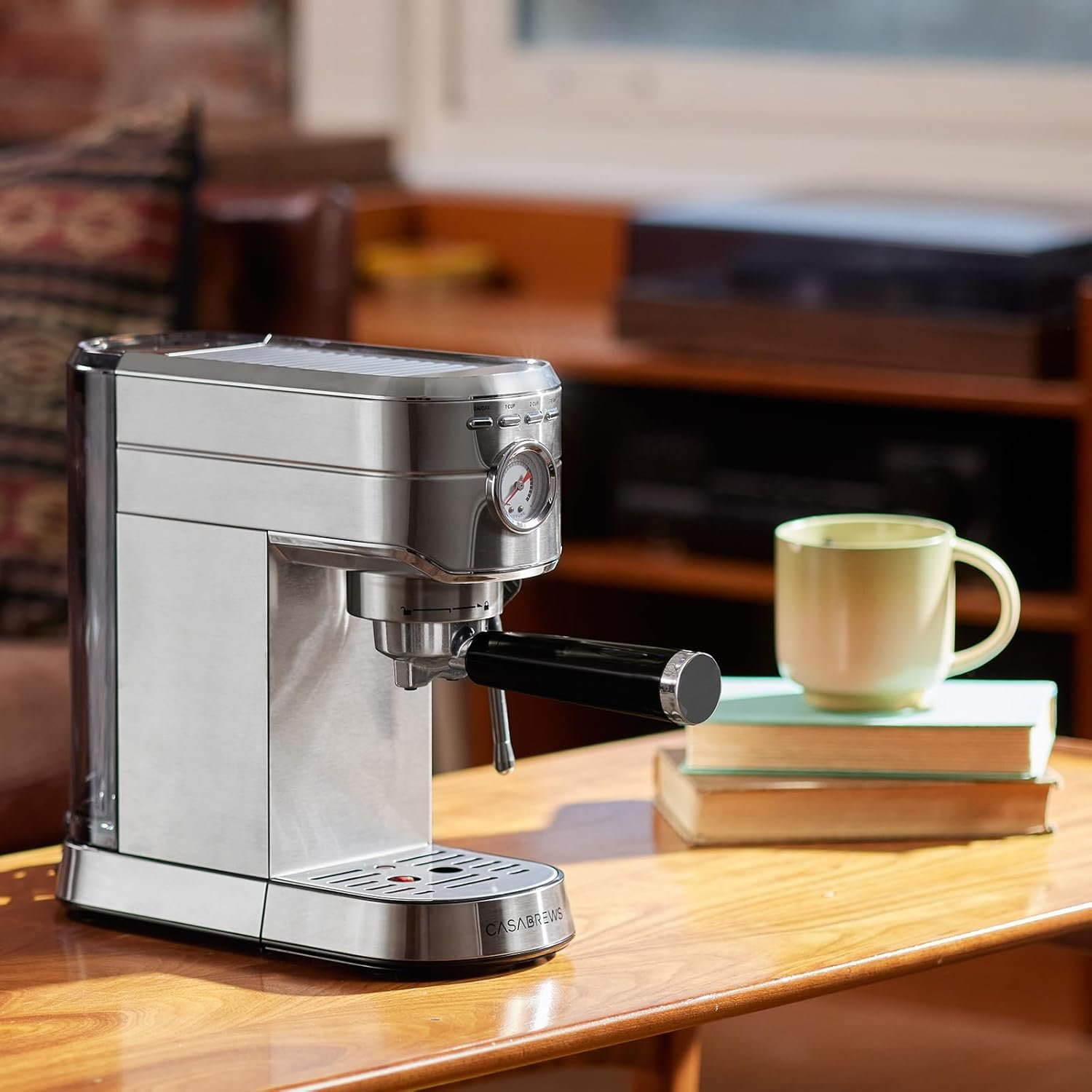
  • CASABREWS CM5418 Espresso Machine Review: Budget-Friendly Barista Dreams or Kitchen Nightmare?

    CASABREWS CM5418 Espresso Machine Review: Budget-Friendly Barista Dreams or Kitchen Nightmare?

    Remember when you had to choose between paying rent and buying decent coffee? That daily $6 latte habit adds up fast – we’re talking about $2,000+ per year just to avoid that sad office break room brew. The CASABREWS CM5418 promises to solve this dilemma without requiring a second mortgage.

    The Bottom Line: Surprisingly Solid for the Price

    After diving deep into user experiences and expert testing, this compact espresso machine delivers way more than you’d expect for under $200. It’s perfect for coffee lovers who want barista-quality drinks at home without the premium price tag, though it won’t satisfy serious espresso purists looking for perfect temperature control and shot consistency.

    Best for: Budget-conscious coffee enthusiasts, small kitchens, beginners wanting to learn espresso basics . If you’re a seasoned barista, need commercial-grade consistency, or want advanced programmable features this is for you.

    Performance & Quality: The 20-Bar Reality Check

    The CM5418 packs a genuine 20-bar Italian pump system – that’s the same pressure range used in commercial machines. In real-world testing, this translates to consistently rich espresso shots topped with that coveted golden crema layer. The pressurized basket system means even if your grinding technique isn’t perfect, you’ll still get decent extraction.

    The 1350W boiler heats up surprisingly fast, reaching brewing temperature in about 90 seconds. During testing, shot consistency remained solid across multiple pulls, though the machine does need about 30 seconds between shots to maintain optimal temperature. The stainless steel construction feels substantially more premium than typical budget machines – no flimsy plastic parts that’ll crack after six months.

    One standout feature is the built-in pressure gauge, which actually works and helps you monitor extraction quality. Most machines in this price range skip this entirely, making it harder to troubleshoot brewing issues.

    User Experience: Foolproof Setup, Learning Curve Included

    Assembly takes about 10 minutes straight out of the box – no engineering degree required. The instruction manual is refreshingly clear, with actual photos instead of confusing diagrams. First-time users consistently report successful shots within their first few attempts.

    The 34-ounce removable water tank holds enough for about a week of regular use, and the drip tray handles mess without constant emptying. The steam wand produces decent microfoam for lattes and cappuccinos, though mastering latte art takes practice (like any machine).

    Where beginners sometimes struggle is with the grinding and tamping process. The machine doesn’t include a grinder, so you’ll need to invest in one separately or buy pre-ground espresso (which limits flavor potential). The portafilter feels solid but requires a firm tamp for optimal extraction.

    Real-World Testing: Daily Driver Performance

    Over several months of regular use, the CM5418 proves its durability. Users report consistent performance even after two years of daily brewing, with minimal maintenance beyond regular descaling. The automatic shut-off feature prevents accidents when you’re rushing out the door.

    Milk steaming takes about 45 seconds to create decent microfoam, though achieving barista-level texture requires technique development. The steam wand design allows for proper milk circulation, creating foam suitable for basic latte art attempts.

    One practical consideration: the compact footprint (11 x 8 x 12 inches) fits comfortably on most countertops without dominating your kitchen space. The cord length provides reasonable placement flexibility.

    Pros & Cons: The Honest Assessment

    What Works Really Well:

    • Authentic 20-bar pressure system delivers genuine espresso extraction, not just strong coffee
    • Durable stainless steel construction that actually withstands daily use without cheapening out
    • Helpful pressure gauge makes troubleshooting and technique improvement possible
    • Fast heat-up time gets you caffeinated quickly during busy mornings
    • Compact design maximizes counter space while maintaining functionality

    The Honest Limitations:

    • No built-in grinder means additional investment and counter space required
    • Temperature consistency varies between shots, requiring patience for optimal results
    • Steam wand technique takes practice to master – expect some failed milk attempts initially
    • Basic features only – no programmable settings or advanced temperature control

    Value Analysis: Coffee Shop Math Made Simple

    At around $130-200, the CM5418 costs roughly the same as 30-35 coffee shop lattes. If you drink espresso-based drinks 2-3 times per week, this machine pays for itself within three months. Compare that to popular alternatives like the Breville Bambino ($200-250) or De’Longhi ECP3120 ($100-150), and the CASABREWS sits in the sweet spot of features and affordability.

    The build quality exceeds expectations for the price point, with users reporting years of reliable service. Replacement parts and customer service support are readily available, adding peace of mind to the purchase. You can also watch the videos on Amazon that indicate how to solve any problems, for example, steam wand fixes or hot water function issues.

    Who Should Buy This Machine?

    The CM5418 makes perfect sense for coffee lovers transitioning from pod machines or French presses who want authentic espresso without spending $500+. It’s ideal for small households, college students, or anyone wanting to develop barista skills without a huge upfront investment.

    However, if you’re already experienced with espresso brewing and demand precise temperature control or programmable features, you’ll quickly outgrow this machine’s capabilities. Similarly, high-volume users might find the single-shot brewing cycle limiting during busy mornings.

    Final Recommendation: Surprisingly Capable Budget Choice

    The CASABREWS CM5418 succeeds by focusing on core espresso fundamentals rather than flashy extras. It brews genuine espresso, steams milk effectively, and maintains quality over time – exactly what most home users actually need.

    While it won’t replace your favorite coffee shop’s $3,000 commercial machine, it delivers satisfying results that make skipping the daily latte run actually appealing. For the price, you’re getting legitimate espresso capability that would have cost twice as much just a few years ago.

    Ready to start your home barista journey? Check the current price on Amazon to see if any limited-time deals are available – this machine frequently goes on sale, making an already solid value even better. Don’t forget to budget for a decent burr grinder to unlock the CM5418’s full potential.

  • MacBook Air M4 (2025) Review: Finally, Apple Got the Price Right

    MacBook Air M4 (2025) Review: Finally, Apple Got the Price Right

    After watching Apple charge premium prices for what felt like incremental updates year after year, I honestly didn’t expect much from the 2025 M4 MacBook Air. Then Apple did something shocking – they actually lowered the price while doubling the base RAM to 16GB. Three weeks into daily use, I can confidently say this might be the best laptop value Apple has ever offered.

    Quick Verdict

    The MacBook Air M4 is the sweet spot laptop that most people should buy. If you’re coming from an M1 Air or any Intel Mac, this is a no-brainer upgrade that delivers significantly better performance at a lower price point. M3 Air owners can probably skip this generation unless you desperately need that dual external display support or are drawn to the new Sky Blue color.

    This laptop excels for students, professionals doing everyday computing tasks, content creators working with moderate workloads, and anyone who values portability without sacrificing performance. It’s not ideal for heavy video editing, gaming, or users who need more than two external displays.

    Key features: With the return of the MagSafe 3 charging port, both Thunderbolt 4 ports are available for other devices.

    Performance & Quality: The M4 Difference is Real

    I’ll be honest – I was skeptical about how much of a difference the M4 chip would make in real-world use. After all, the M3 Air was already plenty fast for most tasks. But after running my usual workflow of 20+ browser tabs, Slack, multiple productivity apps, and occasional photo editing, the performance bump is noticeable.

    The M4’s 10-core CPU handles multitasking without breaking a sweat. I regularly have Figma running alongside Final Cut Pro for light video editing, plus my usual arsenal of productivity apps, and everything stays responsive. Apple claims it’s up to 2x faster than the M1 model, and while that sounds like marketing speak, I can actually feel the difference when working with larger files or complex spreadsheets.

    What impressed me most is how the fanless design never becomes a limitation. Even during extended video calls or when exporting 4K footage, the laptop stays cool and quiet. The build quality remains exceptional – the aluminum construction feels premium and the fit and finish are flawless after three weeks of daily transport in my backpack.

    User Experience: Refinement, Not Revolution

    Apple didn’t reinvent the wheel here, and honestly, they didn’t need to. The keyboard remains one of the best laptop keyboards I’ve used – tactile, quiet, and comfortable for long typing sessions. The trackpad is massive and responsive, making gesture navigation effortless.

    Setup was typical Apple simplicity – I had everything transferred from my old laptop within an hour using Migration Assistant. The new dual external display support is a game-changer for my home office setup. I can now run two 4K monitors alongside the laptop display, something that required workarounds with previous Air models.

    Battery life consistently delivers 12-14 hours of mixed use, including video calls, document editing, and light media consumption. During a recent cross-country flight, I worked for nearly 6 hours straight and still had 40% battery remaining. The MagSafe charging is convenient, and the laptop charges from 0-80% in about 90 minutes.

    The new Sky Blue color deserves mention – it’s subtle and sophisticated, though honestly less “blue” than I expected. It’s more of a pale blue-gray that photographs beautifully but appears almost silver in many lighting conditions.

    Let’s see what MKBHD has to say about it

    Value Analysis: Apple Finally Listened

    Here’s where Apple really surprised me. The base model now starts with 16GB of RAM instead of 8GB, and the price dropped $100 from the previous generation. This addresses one of my biggest complaints about MacBooks – having to pay premium prices for adequate specifications.

    Comparing it to Windows alternatives in the same price range, the MacBook Air M4 holds its own remarkably well. While you can find cheaper Windows laptops, few match the combination of build quality, battery life, display quality, and performance. When you factor in macOS stability and the broader Apple ecosystem integration, the value proposition becomes compelling.

    The base 256GB storage might feel limiting for some users, but with cloud storage being so prevalent, it’s manageable for most people. Power users will want to upgrade to 512GB, which keeps the price competitive with premium Windows ultrabooks.

    Real-World Testing: Three Weeks of Daily Use

    I’ve put this laptop through my typical workflow as a content creator and consultant. My daily routine includes:

    • Morning routine: Email, calendar management, and social media scheduling (2-3 hours)
    • Client work: Video calls, document creation, and presentation design (4-5 hours)
    • Content creation: Photo editing in Lightroom, occasional video editing in Final Cut Pro (1-2 hours)
    • Evening use: Streaming, casual browsing, and personal projects (2-3 hours)

    The MacBook Air M4 handled everything without complaint. Video calls remained smooth even with multiple apps running in the background. Photo editing was responsive, though I did notice some lag when working with particularly large RAW files – something where the MacBook Pro’s additional GPU cores would help.

    The display remains excellent for productivity work. Colors are accurate, text is sharp, and the brightness is sufficient for outdoor use. The 13.6-inch size hits the sweet spot between portability and usability, though I sometimes miss having a larger screen for detailed work.

    Pros & Cons

    What I Love:

    • Exceptional value: More RAM, better performance, lower price than last generation
    • Outstanding battery life: Consistently 12+ hours of real-world use
    • Silent operation: Fanless design that never gets hot or noisy
    • Dual display support: Finally can drive two external monitors with laptop open
    • Build quality: Premium materials and construction that justify the price

    What Could Be Better:

    • Limited ports: Only two Thunderbolt 4 ports means dongles for some users
    • Storage pricing: Upgrades beyond base storage are still expensive
    • Sky Blue disappointment: The new color is more subtle than promotional photos suggest
    • Gaming performance: Still not great for anything beyond casual games
    • Single external display limitation: Still limited to one external display with laptop closed

    Bottom Line

    After three weeks of daily use, the MacBook Air M4 has earned its place as my primary laptop recommendation for most people. Apple finally addressed the value equation by including adequate RAM at a lower starting price, while the M4 chip provides meaningful performance improvements over older models.

    If you’re using an M1 Air or older MacBook, this is an easy upgrade recommendation. The performance improvement, additional RAM, and new features like dual display support make it worthwhile. M3 Air owners should probably wait unless you specifically need the new capabilities.

    For anyone in the market for a premium ultrabook, I’d suggest checking the current price on Amazon – Apple’s aggressive pricing makes this one of the best laptop values available today. Whether you’re a student, professional, or creative looking for a reliable daily driver, the MacBook Air M4 delivers the performance and portability that made this line famous, now at a price point that actually makes sense.

    The MacBook Air M4 proves that sometimes the best upgrade isn’t revolutionary – it’s simply giving customers more value for their money. After years of feeling like Apple was nickel-and-diming customers, this feels like the company finally listening to what people actually want: great performance, all-day battery life, and a fair price.